
Manual


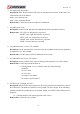
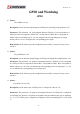


Table Of Contents
- AR-R5800 System
- 1.1 Specifications
- 1.2 Packing List
- 1.3 System Dissection
- 2.1 2.5” HDD Installation
- 2.2 CF Card Installation
- 2.3 Power Cord Hook Installation
- 2.4 PCIe Card Installation
- 2.5 Rack Bracket Installation
- 1.1 Specifications
- 1.2 Package Contents
- 1.3 Block Diagram
- 2.1 Locations (Top side)
- 2.2 Connectors and Jumper Setting
- 2.3 Connector and Jumper Setting
- Date Setup
- Time Setup
- IDE Channel 0 Master
- SATA Channel 1/2
- Halt On
- Quick Power On Self Test
- Full Screen Logo Show
- APIC Mode
- Pre-allocated Memory Size
- DVMT Mode
- Console Redirection
- Baud Rate
- LAN Bypass Function
- Reset Configuration Data
- Resources Controlled By
- IRQ Resources
- Onboard Serial Port 1
- Onboard Serial Port 2
- USB Device Setting
- USB 1.0 Controller
- USB 2.0 Controller
- USB Operation Mode
- USB Keyboard Function
- USB Storage Function
- First / Second / Third Boot Device/Other Boot Device
- LAN Boot Select
- Hard Disk Boot Priority
- Save & Exit Setup
- Load Optimized Defaults
- Exit Without Saving
- Set Password

Revision: 1.0
58
Parameters: The parameter ‘val’ is the value to set to watchdog timer register. The range is 0 ~
255.
Return Value: None.
LAN Bypass Subsystem
1. void enableWdt(void)
Enable Watchdog Timer. (This timer is different from the System Watchdog timer, which is
configured by the API described in 6.2).
2. void disableWdt(void)
Disable Watchdog Timer.
3. void reloadWdt(void)
Reload Watchdog Timer.
4. void forceNormal(void)
Force the port to become normal state.
5. void forceBypass(void)
Force the port to become bypass state.
6. void setWdt4(void)
Set the watchdog timer to 4 seconds.
7. void setWdt8(void)
Set the watchdog timer to 8 seconds.
8. void setWdt16(void)
Set the watchdog timer to 16 seconds.
9. void setWdt32(void)
Set the watchdog timer to 32 seconds.