
Manual


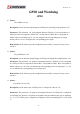


Table Of Contents
- AR-R5800 System
- 1.1 Specifications
- 1.2 Packing List
- 1.3 System Dissection
- 2.1 2.5” HDD Installation
- 2.2 CF Card Installation
- 2.3 Power Cord Hook Installation
- 2.4 PCIe Card Installation
- 2.5 Rack Bracket Installation
- 1.1 Specifications
- 1.2 Package Contents
- 1.3 Block Diagram
- 2.1 Locations (Top side)
- 2.2 Connectors and Jumper Setting
- 2.3 Connector and Jumper Setting
- Date Setup
- Time Setup
- IDE Channel 0 Master
- SATA Channel 1/2
- Halt On
- Quick Power On Self Test
- Full Screen Logo Show
- APIC Mode
- Pre-allocated Memory Size
- DVMT Mode
- Console Redirection
- Baud Rate
- LAN Bypass Function
- Reset Configuration Data
- Resources Controlled By
- IRQ Resources
- Onboard Serial Port 1
- Onboard Serial Port 2
- USB Device Setting
- USB 1.0 Controller
- USB 2.0 Controller
- USB Operation Mode
- USB Keyboard Function
- USB Storage Function
- First / Second / Third Boot Device/Other Boot Device
- LAN Boot Select
- Hard Disk Boot Priority
- Save & Exit Setup
- Load Optimized Defaults
- Exit Without Saving
- Set Password

Revision: 1.0
GPIO and Watchdog
GPIO
1. Syntax:
i32 setChDir( u8 val )
Description: Set the direction (Input/Output) of GPIO ports according to the parameter ‘val’.
Parameters: The parameter ‘val’ is an unsigned character. Each bit of *val corresponds to a
GPIO port. Bit 0 corresponds to GPIO0. Bit 1 corresponds to GPIO1. Bit 2 corresponds to
GPIO2, and so on. Setting a bit of ‘val’ as 0 configures the corresponding port as Output.
Setting a bit of ‘val’ as 1 configures the corresponding port as Input.
Return Value: If the function gets the configuration successfully, it returns 0. If any error, it
returns –1.
2. Syntax:
i32 getChDir( u8 *val )
Description: Get the direction (Input/Output) of GPIO ports and put the configuration at *val.
Parameters: The parameter ‘val’ points to an unsigned character. Each bit of *val corresponds
to a GPIO port. Bit 0 corresponds to GPIO0. Bit 1 corresponds to GPIO1. Bit 2 corresponds to
GPIO2, and so on. A ‘0’ bit at *val indicates the corresponding port is an Output port. A ‘1’ bit
at *val indicates the corresponding port is an Input port.
Return Value: If the function gets the configuration successfully, it returns 0. If any error, it
returns –1.
3. Syntax:
i32 getChLevel( u8 *val )
Description: Get the status value of GPIO ports 0~7 and put the value at *val.
Parameters: The parameter ‘val’ points to an unsigned character. If a GPIO port is configured
as an Output port, the bit at *val which corresponds to this port indicates this port is outputting
a ‘1’ or ‘0’. If a GPIO port is configured as an Input port, the corresponding bit at *val is always
‘1’.
56