
Manual


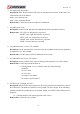


Table Of Contents
- AR-R5800 System
- 1.1 Specifications
- 1.2 Packing List
- 1.3 System Dissection
- 2.1 2.5” HDD Installation
- 2.2 CF Card Installation
- 2.3 Power Cord Hook Installation
- 2.4 PCIe Card Installation
- 2.5 Rack Bracket Installation
- 1.1 Specifications
- 1.2 Package Contents
- 1.3 Block Diagram
- 2.1 Locations (Top side)
- 2.2 Connectors and Jumper Setting
- 2.3 Connector and Jumper Setting
- Date Setup
- Time Setup
- IDE Channel 0 Master
- SATA Channel 1/2
- Halt On
- Quick Power On Self Test
- Full Screen Logo Show
- APIC Mode
- Pre-allocated Memory Size
- DVMT Mode
- Console Redirection
- Baud Rate
- LAN Bypass Function
- Reset Configuration Data
- Resources Controlled By
- IRQ Resources
- Onboard Serial Port 1
- Onboard Serial Port 2
- USB Device Setting
- USB 1.0 Controller
- USB 2.0 Controller
- USB Operation Mode
- USB Keyboard Function
- USB Storage Function
- First / Second / Third Boot Device/Other Boot Device
- LAN Boot Select
- Hard Disk Boot Priority
- Save & Exit Setup
- Load Optimized Defaults
- Exit Without Saving
- Set Password

Revision: 1.0
4.3 API List and Descriptions
Type Definitions
Typedef char i8;
Typedef unsigned char u8;
Typedef short i16;
Typedef unsigned short u16;
Typedef unsigned long u32;
Typedef int i32;
LCD Control Module
1. i32 clrscrLcm( void )
Description: Clear the screen of the LCM.
Return value: 0 after the screen is cleared.
2. i32 cursorLcm( bool mode )
Description: According to the argument ‘mode’, show the cursor on the LCM screen or
eliminate the cursor on the LCM screen. The position of the cursor is unchanged.
mode = true, show the cursor.
mode = false, eliminate the cursor.
Return value: 0 after the cursor has been shown or eliminated.
3. i32 cursorActionLcm( i32 type)
Description: According to the argument ‘type’, move the cursor to the indicated position. The
displayed text is not altered.
type = HOME, move the cursor to row 0, column 0.
type = MOVERIGHT, move the cursor to the column which is to the right of its original
position if the original column < 15.
type = MOVELEFT, move the cursor to the column which is to the left of its original position if
the original column > 0.
type = MOVEBACK, move the cursor to the column which is to the left of its original position
and delete the character at the new position if the original
column > 0.
Return value: 0 after the cursor is moved.
54