
Operation Manual



15 Copyright © Acronis International GmbH, 2002-2015
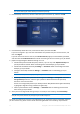
To select a data center:
1. When configuring an online backup, click Settings, and then click Advanced.
2. Select the country that is closest to your current location, and then click OK.
2.8 What is Acronis Cloud?
Remote storage
On the one hand, Acronis Cloud is a secure remote storage which you can use to store your backups.
Because files are stored in remote storage, you can recover the entire contents of your Mac if a
disaster or data corruption event occurs.
If you use Acronis True Image for Windows, you can also store file backups, disk images, and versions
of your synchronized files in Acronis Cloud.
To start using Acronis Cloud:
Create Acronis account (p. 15), if you do not have one.
Subscribe to the Acronis Cloud service (p. 16).
Web application
On the other hand, Acronis Cloud is a web application that allows you to recover and manage the
data that you store on Acronis Cloud. To work with the application you can use any Mac or PC that is
connected to the Internet.
To access the application, go to https://www.acronis.com/my/online-backup/, log in to your account,
and then click Recover my data now.
2.8.1 Creating an Acronis account
To use the Acronis Cloud service, you need an Acronis account.