
Operation Manual



12 Copyright © Acronis International GmbH, 2002-2015
2.5 Scheduling
For your backups to be really helpful, they should be as up-to-date as possible. Schedule your
backups to run on a regular basis. By default, your Mac is backed up weekly.
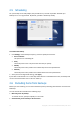
To schedule the backup:
1. Click Settings, choose backup frequency, and then specify the start time.
Do not schedule
This option turns scheduling off.
Daily
The backup starts once a day and at the time that you specify.
Weekly
The backup starts every week on the selected days and at the specified time.
Monthly
The backup starts every week on the selected dates and at the specified time.
2. After you have configured all settings, click Apply.
If your Mac is switched off or it is in the sleep mode when the scheduled time comes, the backup will
run the next time the Mac starts or when it wakes up.
2.6 Excluding items from backups
Before you start a backup, you can reduce the backup size by excluding data that does not need to be
backed up.
You can exclude files and folders the following ways:
Manually, from any backup
To exclude an item, specify it explicitly or use a mask.
Automatically, from a backup to Acronis Cloud