
Operation Manual






case, all incremental and differential files appended to the old full backup will get corrupted.
It is recommended that you delete these files.
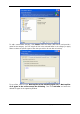
If you are going to append an incremental or differential file to the existing archive, select
any of the target archive files. It doesn't matter which one you select if the files are stored in
the same folder, as the program recognizes them as a single archive. If you stored the files
on several removable disks, provide the latest archive file; otherwise, restoration problems
might occur.
The “farther” you store the archive from the original folders, the safer it will be in case of
data damage. For example, saving the archive to another hard disk will protect your data if
the primary disk is damaged. Data saved to a network disk, FTP server or removable media
will survive even if all your local hard disks are down. You can also use Acronis Secure Zone
(see details in
3.3 Acronis Secure Zone
) or Acronis backup locations (see details in
3.5
Acronis backup locations
) for storing backups. In that case, you need not provide the backup
file name.
See notes and recommendations for supporting FTP server in
1.3.4 Supported storage
media
.
5.2.6 Selecting the backup mode
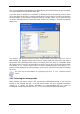
Select whether you want to create a full, incremental or differential backup. If you have not
backed up the selected data yet, or the full archive seems too old to append incremental
changes to it, choose full backup. Otherwise it is recommended that you create an
incremental or differential backup (see
3 2 Full, incremental and differential backups
).
.
Copyright © Acronis, Inc., 2000-2007 29