
Operation Manual


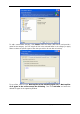




To add a custom data category, click Create, select the folder (data source) and provide a
name for the category. You can include all files in the selected folder in the category or apply
filters to select the specific types of files that you wish or do not wish to back up.
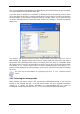
To set a filter, select its type: Back up files of the following types only or Back up files
of all types in the source except the following. Then click Add new and select the
desired file types in the appearing window.
24 Copyright © Acronis, Inc., 2000-2007