
Operation Manual



Working with Acronis Recovery Expert
Copyright © Acronis, Inc., 2000–2005
69
This finishes partition recovery preparations. To complete this operation, select
Commit in the Operations section of the Main menu. This will complete the
given partition recovery.
If you exit Acronis Disk Director Suite without confirmin
g
the partition recovery
operation, it will be canceled.
5.2 Manual Recovery
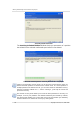
Set the switch to Manual in the Recovery mode window to select the manual
recovery mode.
Selecting manual recovery mode
The next Searching Method window enables you to select one of two deleted
partition searching methods: 1) Fast; 2) Complete.
What's the difference? Using the Fast search method, Acronis Recovery Expert
checks the beginning of each side of every cylinder of a hard disk. Using the
Complete method, Acronis Recovery Expert checks every hard disk sector.
The Fast method takes less time, while the Complete method is slower but more
thorough.
Note that the Fast method should find all deleted partitions in most cases!