
Operation Manual




Beginning The Work
22
Copyright © Acronis, Inc., 2000–2005
3. Click OK to enable password protection.
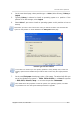
After you run the program, you’ll be prompted to enter a password in the
Password Protected window:
If you enter a wrong password, you'll be asked to re-enter it. Clicking Cancel will
close the program.
If you need to change the password:
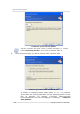
1. Select Disk Set Password.
2. Enter the old password in the Old Password field and the new password in
the New Password and Confirm New Password fields in the Set Password
window.
3. Click OK
to enable password protection.
Please Note: If you protect Acronis Disk Director Suite with a password and for
g
et it,
you will have to uninstall Disk Director Suite by selecting
Programs Acronis
Disk Director Suite Uninstall Acronis Disk Director Suite, and install it again!