
User Manual


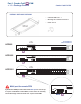


< 1.2 > KVM port & Cat6 dongle connection
Combo Cat6 IP KVM
USB Servers
CAT 5 / 6 cable
max. 40 meters
DVI-USB dongle
US B
DV I-D
Cat6 KVM port
32 31 30 29 28 27 26 25 16 15 14 13 12 11 10 9
24 23 2 2 21 20 19 18 17 8 7 6 5 4 3 2 1
PS/2 Servers USB Servers
PS/2
VGA
VGA-PS/2 dongle
CAT 5 / 6 cable
max. 40 meters
VGA-USB dongle
US B
VGA
DVI-USB dongle
¦ To connect DVI-D connector to the compute r’s video card
¦ To connect USB connector to the compute r’s USB port
VGA-USB dongle
¦ To connect DB-15 connector to the computer’s video card
¦ To connect USB connector to the compute r’s USB port
VGA-PS/2 dongle
¦ To connect DB-15 connector to the computer’s video card
¦ To connect PS/2 keyboard connector to the compute r’s keyboard port
¦ To connect PS/2 mouse connector to the computer’s mouse port