
User Manual




< 1.6 > IP Multi-port connection to remote PDU
Combo Cat6 IP KVM
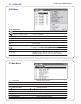
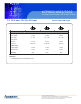
To access the PDU GUI, please enter the IP KVM main page and select
Remote Power > Start Service > Apply
1
PDU cascade port
L INK O UT
2 Current display
CURRE NT
(
A
)
225
ON
OF F
ON DIP
3
Dip switch
O N DI P
1 2 3 4 5 6 7 8
4 Reset button
RESET
1 2 3 4 5 6 7 8
¦ For rackmount PDU,
2 3 4
on the front panel left ,
1
on the rear panel