6. Xsan
User Guide Page 6-13
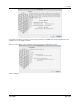
Upon completion of Setup, you are presented with the SAN overview as shown below.
6.6.6 Creating an Xsan Volume
6.6.6.1 Labeling LUNs
In Xsan Admin, select “LUNs” in the “SAN Assets” list, choose “Change LUN label” from the Action
(gear) pop-up menu and enter a label.