
User's Manual


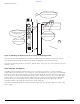


Table Of Contents
- Contents
- Preface
- Altitude 300-2TM Wireless Port Introduction
- HARDWARE INSTALLATION
- SPECIFICATIONS
- Maximum Distance Table
- Integrated Dual Band Antenna Pattern
- COMPLIANCES
- Power Over Ethernet Connector Pin Assignments
- Ethernet Connector Pin Number Assignment

BETA DRAFT
8 Altitude 300-2 Getting Started Guide
HARDWARE INSTALLATION
Figure 8: Installation Of Optional Spacer
NOTE
Use a small piece of tape to hold the spacer in place on the universal mounting bracket and install the
spacer and the bracket together.
Optional Antenna Shrouds
Antenna shrouds are used with the Altitude 300-2i
™
that has integrated dual band antennas. They are
an optional item that is ordered with one of the plastic cover kits. Before the plastic cover is snapped
on, each antenna shroud is slipped over the antenna housing so that the gear teeth are next to the box.
The shroud is slipped all the way down on the antenna housing until it is firmly seated on the antenna
tube that comes out of the box. The shroud clips on to the tube. With the shroud installed, the antenna
is still free to be rotated to the desired angle. The process is repeated for the other side of the box.
Figure 9: Antenna Shroud Figure 10: Antenna Shroud Installation
Downward face of
the T-Bar
Optional spacer
1
2