
User's Manual




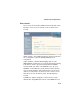


Table Of Contents
- Chapter 1 Introduction
- Chapter 2 Network Configuration
- Chapter 3 Hardware Installation
- Chapter 4 Initial Configuration
- Chapter 5 System Configuration
- Chapter 6 Command Line Interface
- Using the Command Line Interface
- Entering Commands
- Command Groups
- General Commands
- System Management Commands
- SNMP Commands
- Flash/File Commands
- RADIUS Client
- 802.1x Port Authentication
- Filtering Commands
- Interface Commands
- interface
- dns server
- ip address
- ip dhcp
- shutdown
- speed-duplex
- show interface ethernet
- radio-mode
- select-antenna-mode
- description
- ssid-broadcast
- closed-system
- speed
- channel
- ssid
- beacon-interval
- dtim-period
- fragmentation-length
- rts-threshold
- authentication
- encryption
- key
- transmit-key
- transmit-power
- max-association
- multicast-cipher
- wpa-clients
- wpa-mode
- wpa-preshared-key
- wpa-psk-type
- shutdown
- show interface wireless
- show station
- IAPP Commands
- VLAN Commands
- Appendix A Troubleshooting
- Appendix B Specifications
- Appendix C Cables and Pinouts
- Glossary
- Index

Advanced Configuration
5-21
AP Management Filter – Controls management access to the
SMC2552W-G from wireless clients. Management interfaces
include the web, Telnet, or SNMP.
• Disable: Allows management access from wireless clients.
• Enable: Blocks management access from wireless clients.
Ethernet Type Filter – Controls checks on the Ethernet type of all
incoming and outgoing Ethernet packets against the protocol
filtering table.
• Disable: Access point does not filter Ethernet protocol types.
• Enable: Access point filters Ethernet protocol types based on
the configuration of protocol types in the filter table. If a
protocol has its status set to “ON,” the protocol is filtered from
the access point.