
User's Manual




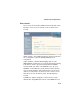


Table Of Contents
- Chapter 1 Introduction
- Chapter 2 Network Configuration
- Chapter 3 Hardware Installation
- Chapter 4 Initial Configuration
- Chapter 5 System Configuration
- Chapter 6 Command Line Interface
- Using the Command Line Interface
- Entering Commands
- Command Groups
- General Commands
- System Management Commands
- SNMP Commands
- Flash/File Commands
- RADIUS Client
- 802.1x Port Authentication
- Filtering Commands
- Interface Commands
- interface
- dns server
- ip address
- ip dhcp
- shutdown
- speed-duplex
- show interface ethernet
- radio-mode
- select-antenna-mode
- description
- ssid-broadcast
- closed-system
- speed
- channel
- ssid
- beacon-interval
- dtim-period
- fragmentation-length
- rts-threshold
- authentication
- encryption
- key
- transmit-key
- transmit-power
- max-association
- multicast-cipher
- wpa-clients
- wpa-mode
- wpa-preshared-key
- wpa-psk-type
- shutdown
- show interface wireless
- show station
- IAPP Commands
- VLAN Commands
- Appendix A Troubleshooting
- Appendix B Specifications
- Appendix C Cables and Pinouts
- Glossary
- Index

Advanced Configuration
5-19
Filter Control
The access point can employ VLAN ID and network traffic frame
filtering to control access to network resources and increase
security.
Native VLAN ID – The VLAN ID assigned to wireless clients that
are not assigned to a specific VLAN by RADIUS server
configuration.
VLAN – Enables or disables VLAN tagging support on the
SMC2552W-G. If enabled, the access point will tag traffic passing
from wireless clients to the wired network with the VLAN ID
associated with each client on the RADIUS server. Up to 16
VLAN IDs can be mapped to specific wireless clients, allowing
users to remain within the same VLAN as they move around a
campus site. This feature can also be used to control access to
network resources from wireless clients, thereby improving
security.
A VLAN ID (1-4095) is assigned to a client after successful
authentication using IEEE 802.1x and a central RADIUS server.