
User manual



1
7-2-13
Initial Set-Up Instructions for the WIZ110SR Board.
1. Connect WIZ110SR board to the Ethernet hub that is also connected to
your computer. Use a LAN cable (RJ45 CAT-5 Ethernet cable)
2. Connect the 5vdc power supply to the board.
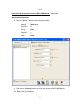
Run the “Configuration Tool” Software:
Launch WIZ1x0SR_105SR_CFG_V3_0_2.exe
This window will appear:
1. Search for the WIZ110SR board. Click on the “Search” button.
1