
User manual



Step 23 - Power Up PCBs
Plug in VAC and +5vdc power supplies into 120VAC outlets.
+5vdc, VAC, A, B, LEDS should be on.
WDT and Data transmit LEDs should be turning on/off every 2 seconds.
If the VAC LED is not on, then check connections. Nothing will operate unless VAC signal is present.
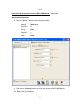
Step 24 - Set-Up WIZ110SR PCB
Run the WIZ110SR configuration software.
Please contact sales@wiznet.co.kr in order to download the WIZVSP Installer.
See configuration manual for board set-up details.
**See set-up instructions for WIZ110SR (pages 13 to 15 of these instructions)**
Step 25 - Mount PCBs
Home Energy Monitor PCB and WIZ110SR PCB can be mounted inside bottom of load center
housing. Notice LEDS are "ON" when powered up.
Step 26 - HEM hardware Interface in Load Center
Place both PCBs in bottom of load center housing.
Install CTs around incoming power wires and plug into HEM PCB.
Plug in VAC transformer into HEM PCB.
Plug in +5vdc into HEM and WIZ110SR PCBs.
Plug Ethernet cable into the WIZ110SR PCB.
Plug in the VAC transformer into AC outlet.
Plug in the +5vdc Power Supply into AC outlet.