
Operation Manual



16
4.8 Arrange Shortcuts
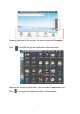
At the mainscreen you can arrange the icons as you like. To move a
shortcut tap and hold your finger on the icon and draw it to the positon you
like to have it. You can also draw it to the wastebin shown on the right side
of your screen.
4.9 Install Software
Additional Applications can be installed via the “A-Rival Market”. Please
check if your WiFi/UMTS/Internet connection is working properly. Navigate
to the mainscreen of your device and tap “a-rival market”
Choose the application you would like to install. As soon as the installation
is finished tap open to start the application.