
Installation Instructions


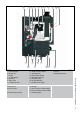


Installation and Service Manual Epsilon-Series
2
Central heating on/o
Domestic hot water (DHW) on/o
Pump program on/o
Reset key Unlocking the boiler
in case of error
Step key Selecting chapters
display
Explanations of symbols and signs on the Control Tower display.
1
2
No heat requirement
Ventilation phase
Ignition phase
Burner active on central heating
Burner active on hot water
Fan check
Burner o when room thermostat is demanding
Pump overrun phase for central heating
Pump overrun phase for hot water
Burner o because of to high ow water temperature
Automatic venting program
3
4
5
6
7
8
9
A
Water pressure is to low (<1,0 bar), a-
shing FILL will alternate with indication
of water pressure, boiler power of 50%
is possible. The installation needs to be
topped up.
Operation indication
(in the rst display position by technical read out)
Last postion shows the actual ow temperature
Mode key Selecting chapters
Water pressure is to high (>2,8 bar), if
HIGH indication remains continuously vi-
sible, the boiler is taken out of operation.
The installation pressure needs to be
decreased by draining water.
Water pressure is to low (<0,7 bar), FILL
indication remains continuously visible,
the boiler is taken out of operation. The
installation needs to be topped up.
0
From Good-read out to Technical read out (and vice versa):
- Press 5 sec. on the STEP key.