
Operator's Guide Multimedia Projector S40C, X40C

14
1
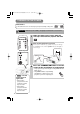
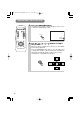
Make sure that the power cord is firmly and
correctly connected to the projector and outlet
2
3
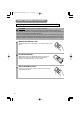
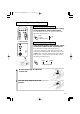
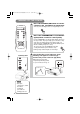
Press the STANDBY/ON button of remote
control or the on/off button of control panel
•
The projector begins warming up and the power indicator
blinks green.
• The power indicator stops blinking
and lights to solid green once the
projector's power is completely on.
3
VIDEO
ASPECT
MUTE
KEYSTONEFREEZE
OFF
ON
VOLUME
MAGNIFY
AUTO BLANK
RGB SEARCH
STANDBY/ON
TURNING ON THE POWER
Control panel
Precautions
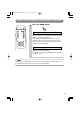
Connect all devices to be used to the projector prior to turning on the power.
11
8
∼
WARNING When the power is ON, a strong light is emitted. Do not look into the
lens.
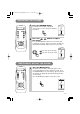
Turn the
power on/off in
right order.
• Power on the
projector before the
computer or video
tape recorder.
• Power off the
projector after the
computer or video
tape recorder.
NOTE
01CP-S225/X75/Vol1/E/最終 02.10.17 10:24 AM ページ14
lamp
temp
power
on off
video rgb
reset
menu
keystone
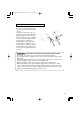
Turn on the projector's power
Set the power switch to [ | ] (ON). The projector will go
to STANDBY mode and the power indicator will light to
solid orange.
power indicator
power switch