
User's Manual




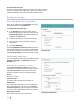
Table Of Contents
- C-Series User Guide
- Safety information
- Regulatory compliance
- Overview
- Software installation
- Typical workflows
- Startup and shutdown
- Installing system security updates
- Managing the 3M™ SelfCheck™ System
- Home page
- Basic administration
- Advanced administration
- General maintenance
- Solving problems
- Obtaining service and supplies
- Appendix A: Email notification messages

30 ⎟
Hardware serial number
The serial number of the SelfCheck system as defined by the license key. It
cannot be changed.
Product version
The version number of the SelfCheck system software. It changes
automatically when the software is updated.
License agreements
Displays the software license agreement.
To change the system information
1 Select the information you want to change.
2 Type the new information.
3 Click Save System Settings.
Notifications
The SelfCheck system automatically sends email
notifications of conditions that require attention to the
email addresses listed in the Notifications box.
Examples of such conditions are loss of connection
with the circulation system and lack of paper in the
receipt printer. See also “
Mail server” on page 38.
The email addresses set up in the Notifications box
are independent of the email addresses set up on the
Notifications tab. The Notifications box is intended
for additional personnel and 3M technical support for
troubleshooting or support purposes.
Notifications
For a list of notification messages see “
Appendix A: Email notification
messages” on page
59. You can edit the text of the email notifications on the
Messages tab (page
35).
To add email addresses to the notification list
1 In the Notifications box, type the email addresses of the persons who
you want to receive alert messages. Separate the addresses with
semicolons (;).
2 Click Save Notifications Settings.
To delete email addresses from the notification list
1 In the Notifications box, delete the addresses you do not want.
2 Click Save Notifications Settings.