
User's Manual


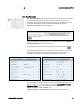


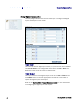


Table Of Contents
- Preface
- Table of Contents
- Reader Overview
- Reader Equipment Installation
- Reader Startup Tool (RST) Software Installation
- Reader Operation
- Reader Startup Tool (RST)
- Embedded Reader Configuration Tool (RCT)
- Configuring Digital Inputs and Outputs
- Specifications
- Reader Specifications (General)
- Reader Specifications (FCC)
- Environmental Specifications
- Power Supply Specifications
- RS-232 Specifications
- Ethernet LAN Specifications
- Antenna Cable Specifications
- External Antenna Specifications (FCC)
- Bulkhead Connector/Interface Cable Pinout
- Battery Specifications (Optional)
- Safety Instructions
- Disposal of the IDentity 5200 Reader
- Reader Maintenance

1 2 3 4 5
6
7 8 9
Reader Configuration Tool
34
IDentity 5200 User Guide
Embedded Reader Configuration Tool (RCT)
The Embedded Reader Configuration Tool (RCT) allows you to access your
reader across a LAN or WAN by entering the reader’s IP address into your
web browser. With the RCT, you can fully configure your reader for operation
in a variety of applications and environments. With this application, you can
perform the following:
h Basic Configurations
h Advanced Configurations
h Check System Status
h Access the online Help
To access the RCT, press the
button on the main RST page.