
User Guide Hub/Switch SuperStack II Switch 1000
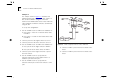
Table Of Contents
- About This Guide
- Getting Started
- Installation and Setup
- Setting Up for Management
- Managing The Switch 1000
- Setting Up Users
- Creating a New User
- Deleting a User
- Editing User Details
- Assigning Local Security
- Choosing a Switch Management Level
- Setting Up the Switch Unit
- Setting Up the Switch Ports
- Setting Up the Switch Database (SDB)
- Setting Up Resilient Links
- Setting Up Traps
- Setting Up the Console Port
- Resetting the Switch
- Initializing the Switch
- Upgrading Software
- Advanced Management
- Status Monitoring and Statistics
- Safety Information
- Screen Access Rights
- Trouble-shooting
- Pin-outs
- Switch 1000 Technical Specifications
- Technical Support
- Glossary
- Index
- 3Com Corporation Limited Warranty
- Electro-Magnetic Compatibility

5-6 C
HAPTER
5: A
DVANCED
M
ANAGEMENT
Example 2
The example shown in Figure 5-6
illustrates two
VLANs spanning two Switch 1000 units. VLAN 1 is
able to talk to VLAN 2 using the connection
between each VLAN and the router. Ports within the
same VLAN but on different Switches communicate
using the VLT.
To set up this configuration:
1
Use the VT100 screens or VLAN Server database to:
a
Place ports 1–6 and 13–18 of both Switch units
in VLAN 1.
b
Place ports 7–12 and 19–24 of both Switch units
in VLAN 2.
2
Connect port 26 of the higher Switch to Server 1.
3
Connect port 26 of the lower Switch to Server 2.
4
Use the VT100 screens or VLAN Server database to:
a
Place port 26 of the higher Switch in VLAN 2.
b
Place port 26 of the lower Switch in VLAN 1.
5
Connect a port on the higher Switch to a port in
the lower Switch.
6
Use the VT100 screens to specify that the
Switch-to-Switch port on the higher Switch is a
backbone port and a VLT port.
7
Use the VT100 screens to specify that the
Switch-to-Switch port on the lower Switch is a VLT
port.
Figure 5-6
VLAN configuration with two Switch 1000 units
8
Connect a VLAN 1 port on the lower Switch to the
router.
9
Connect a VLAN 2 port on the lower Switch to the
router.