
User Guide Hub/Switch SuperStack II Switch 1000
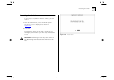
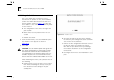
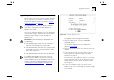
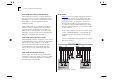
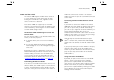
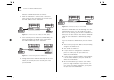
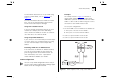
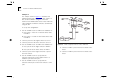
Table Of Contents
- About This Guide
- Getting Started
- Installation and Setup
- Setting Up for Management
- Managing The Switch 1000
- Setting Up Users
- Creating a New User
- Deleting a User
- Editing User Details
- Assigning Local Security
- Choosing a Switch Management Level
- Setting Up the Switch Unit
- Setting Up the Switch Ports
- Setting Up the Switch Database (SDB)
- Setting Up Resilient Links
- Setting Up Traps
- Setting Up the Console Port
- Resetting the Switch
- Initializing the Switch
- Upgrading Software
- Advanced Management
- Status Monitoring and Statistics
- Safety Information
- Screen Access Rights
- Trouble-shooting
- Pin-outs
- Switch 1000 Technical Specifications
- Technical Support
- Glossary
- Index
- 3Com Corporation Limited Warranty
- Electro-Magnetic Compatibility

5-4 C
HAPTER
5: A
DVANCED
M
ANAGEMENT
AutoSelect VLAN Mode works as follows:
1
When an endstation is connected to a Switch or
moves from one port to another, the Switch learns
the MAC address of the endstation.
Figure 5-2
Switch learns the endstation’s MAC address
2
If the relevant port uses AutoSelect VLAN Mode, the
Switch interrogates the VLAN Server to determine
the VLAN membership of the endstation.
Figure 5-3
Switch interrogates the VLAN Server
3
Having obtained the VLAN membership for the end-
station, the Switch places the relevant port in the
specified VLAN.
Figure 5-4
Switch places the port in the VLAN
AutoSelect VLAN Mode has an advantage over Port
VLAN Mode because once the VLAN Server data-
base is set up correctly, you can move endstations to
other ports or other Switch units and the VLAN allo-
cation of each endstation is automatically config-
ured.
If you use AutoSelect VLAN Mode, note the follow-
ing:
■
You need to specify an IP address and community
string for the VLAN Server.
■
You cannot use VLAN 15.
■
If a port has been configured as a backbone
port or as a VLT port, the port cannot use
AutoSelect VLAN Mode.
■
If a port has a permanent address stored against
it in the Switch Database, the port cannot use
AutoSelect VLAN Mode.
■
We recommend that you connect each switch
port to a single endstation. If you want to con-
nect a port to multiple endstations, specify that
the port uses Port VLAN Mode.