
User Guide Hub/Switch SuperStack II Switch 1000
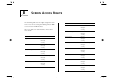


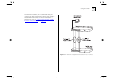

Table Of Contents
- About This Guide
- Getting Started
- Installation and Setup
- Setting Up for Management
- Managing The Switch 1000
- Setting Up Users
- Creating a New User
- Deleting a User
- Editing User Details
- Assigning Local Security
- Choosing a Switch Management Level
- Setting Up the Switch Unit
- Setting Up the Switch Ports
- Setting Up the Switch Database (SDB)
- Setting Up Resilient Links
- Setting Up Traps
- Setting Up the Console Port
- Resetting the Switch
- Initializing the Switch
- Upgrading Software
- Advanced Management
- Status Monitoring and Statistics
- Safety Information
- Screen Access Rights
- Trouble-shooting
- Pin-outs
- Switch 1000 Technical Specifications
- Technical Support
- Glossary
- Index
- 3Com Corporation Limited Warranty
- Electro-Magnetic Compatibility

B
S
CREEN
A
CCESS
R
IGHTS
The following table lists the rights assigned to each
level of user for accessing and editing Switch 1000
screens via the VT100 interface.
All access rights are read-and-write unless other-
wise stated.
Screen Available to...
Logon Monitor
Manager
Security
Main Menu Monitor
Manager
Security
Switch Management Monitor
Manager
Security
Port STP Monitor
read-only
Manager
Security
Port Statistics Monitor
Manager
Security
Port Traffic Statistics Monitor
Manager
Security
Port Error Analysis Monitor
Manager
Security
Port Resilience Monitor
Manager
Security
Port Setup Monitor
read-only
Manager
Security
Unit Statistics Monitor
Manager
Security
Unit Database View Monitor
Manager
Security
Unit Resilience Monitor
Manager
Security
Unit Setup Monitor
read-only
Manager
Security
Screen Available to...