
User Guide Hub/Switch SuperStack II Switch 1000


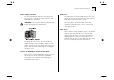


Table Of Contents
- About This Guide
- Getting Started
- Installation and Setup
- Setting Up for Management
- Managing The Switch 1000
- Setting Up Users
- Creating a New User
- Deleting a User
- Editing User Details
- Assigning Local Security
- Choosing a Switch Management Level
- Setting Up the Switch Unit
- Setting Up the Switch Ports
- Setting Up the Switch Database (SDB)
- Setting Up Resilient Links
- Setting Up Traps
- Setting Up the Console Port
- Resetting the Switch
- Initializing the Switch
- Upgrading Software
- Advanced Management
- Status Monitoring and Statistics
- Safety Information
- Screen Access Rights
- Trouble-shooting
- Pin-outs
- Switch 1000 Technical Specifications
- Technical Support
- Glossary
- Index
- 3Com Corporation Limited Warranty
- Electro-Magnetic Compatibility

Important Safety Information A-3
Power Supply and Fuse
The unit automatically adjusts to the supply volt-
age. The fuse is suitable for both 110V A.C. and
220–240V A.C. operation.
WARNING:
Ensure that the power is disconnected
before opening the fuse holder cover.
To change the fuse, release the fuse holder by
gently levering a small screwdriver under the fuse
holder catch. Only 5A Time Delay (anti-surge) fuses
of the same type and manufacture as the original
should be used.
Sockets for Redundant Power System (RPS)
Only connect a 3Com Redundant Power System to
this socket. For details, follow the installation
instructions in the manuals accompanying the
Redundant Power System.
RJ45 Ports
The RJ45 ports are shielded RJ45 data sockets. They
cannot be used as telephone sockets. Only connect
RJ45 data connectors to these sockets.
Either shielded or unshielded data cables with
shielded or unshielded jacks can be connected to
these data sockets.
Fiber Ports
Under normal viewing conditions, there is no hazard
from the fiber Transmit LED. It is recommended
however, that the LED is not viewed through any
magnifying device whilst it is powered on. It is
advisable that the fiber Tx port and fiber cable ends
are never viewed directly when powered-on.