
User's Manual




3-7
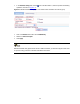
Figure 3-7 Enable DHCP snooping
z Click on the Enable radio button next to DHCP Snooping.
# Configure DHCP snooping functions on GigabitEthernet 1/0/1.
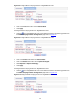
z Click the icon of GigabitEthernet 1/0/1 on the interface list. Perform the following operations on
the DHCP Snooping Interface Configuration page shown in Figure 3-8
.