
- LG Software Innovations Two-Way Radio User Manual

13-5REPORT & LISTS
1
2
3
4
5
6
7
8
9
10
11
12
13
AI
REPORT & LISTS
Activity journal
Just as a checkbook records your daily financial transactions, your machine keeps
an activity journal which records the 100 most recent fax, internet fax and scan to
e-mail transactions. The activity journal lists the following information for each
transaction:
• Assigned number, starting each day at 001 (fax only)
• Remote location called
• Resolution mode (fax only)
• Starting date and time
• Duration, in minutes and seconds (fax only)
• Number of pages (fax only)
• Department code (fax only) (See page 11-13.)
• Result of the call — If preceded by an asterisk (*), this signifies an ECM com
-
munication. If preceded by a pound (#), this signifies communication was via
a highspeed V.34 modem.
• Any special operations — For example, “Manual” will appear if you made a
fax call using an external telephone.
Setting the activity journal
Your fax machine will print the activity journal automatically after 100 transac-
tions.
NOTE:
Either [Tx Report] or [Rx Report] cannot be printed out automatically.
1
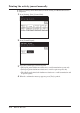
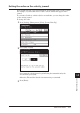
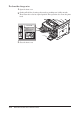
Press [Setting], [Management], [Auto Print Journal].
2
Select [ON] and press [Enter].