
- LG Software Innovations Two-Way Radio User Manual

10-34 SPECIAL FEATURES
5
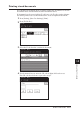
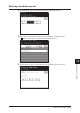
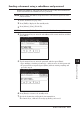
Select the applicable file number.
For security box reception, the procedure will end after step 5.
Select “All stored documents.” to print out every document stored in this F-code
box.
6
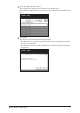
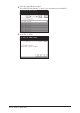
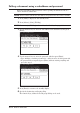
Press [Yes].
Any stored or received document will be printed.
• Documents in the security reception box will be removed from memory after
they have been printed.
• Documents received or stored in bulletin boxes will not be deleted after they
are printed.